
Outdoor Cabinet Optical Transceiver Selection: Temperature, Power and Link Checks
A deployment guide for choosing optical transceivers for outdoor network cabinets without reducing the decision to a temperature label.
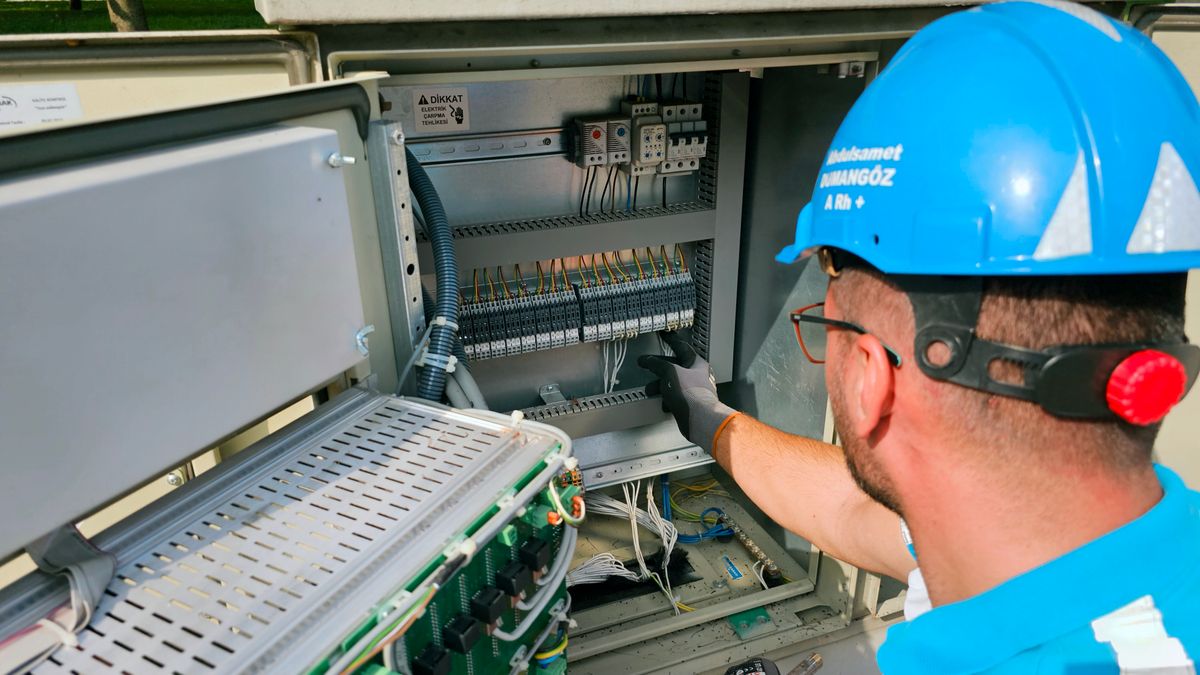
An “industrial temperature” label is not enough to approve an optical transceiver for an outdoor cabinet.
The decision must connect the exact module rating to the enclosure's real thermal conditions, host-port limits, optical path and maintenance plan. This guide turns those conditions into a practical pre-order review.
Measure the Environment You Actually Have
Outdoor cabinet conditions are shaped by climate, direct sun, enclosure color, thermal mass, ventilation, active cooling, power supplies and nearby equipment. A regional weather forecast does not describe the temperature at the transceiver cage.
Record minimum and maximum cabinet temperatures from a representative location and time period when possible. If only design assumptions exist, label them as assumptions and add engineering margin. Also note condensation control, dust exposure, cabinet sealing, airflow restrictions and whether doors are opened during service.
The transceiver's verified operating range must come from the exact product datasheet. Do not infer it from a family name or assume that every “extended” or “industrial” product uses the same limits.
Build an Outdoor Cabinet Input Sheet
| Input | What to capture |
|---|---|
| Cabinet | Location, enclosure type, solar exposure and sealing |
| Temperature | Measured or designed minimum/maximum inside the enclosure |
| Cooling | Fans, heat exchanger, air conditioning and airflow direction |
| Host | Vendor, model, line card or switch, port and software |
| Power | Port power limit, module consumption and adjacent-port population |
| Link | Rate, fiber, connector, distance and measured route loss |
| Operations | DOM/DDM need, alarm thresholds, service access and spare plan |
This input sheet prevents procurement from selecting an optic only by rate, reach and a broad temperature grade.
Check Host Power and Thermal Load Together
The host must support both the interface and the module's electrical demand. Dense port groups can create a local thermal problem even when each module is individually within its datasheet rating.
- Confirm the port's supported form factor and interface.
- Verify the module's maximum power consumption from the exact datasheet.
- Check host documentation for high-power module limits or port-group restrictions.
- Map neighboring ports and the expected population density.
- Confirm airflow direction and that cable routing does not obstruct vents.
- Review alarms or shutdown behavior at high temperature.
Do not assume an SFP-shaped device is electrically safe in every SFP cage. Platform support and power policy can be as important as the optical specification.
Match Rate, Fiber and Connector Before Reach
Use the optical transceiver upgrade checklist to build the host-port and fiber inventory. At minimum, confirm:
- Required Ethernet rate and interface at both endpoints.
- Single-mode or multimode fiber and the installed connector interface.
- Duplex, single-fiber BiDi or WDM topology.
- Route distance and measured loss where available.
- Existing splices, patch panels and passive devices.
- Required wavelength plan and any coexistence constraints.
For single-fiber BiDi, both endpoints require complementary transmit and receive wavelengths. For CWDM or DWDM, channel identity and MUX/DEMUX insertion loss belong in the link plan.
Calculate the Optical Budget in Both Directions
Distance alone does not approve a link. Build a loss budget for each direction using the exact transmitter and receiver specifications.
| Budget item | Review point |
|---|---|
| Transmitter | Minimum/maximum output power for the exact module |
| Receiver | Sensitivity and overload limits |
| Fiber | Attenuation at the operating wavelength |
| Connections | Connector, patch-panel and splice losses |
| Passive optics | Splitter or MUX/DEMUX insertion loss |
| Margin | Allowance for aging, repair and measurement uncertainty |
Check both insufficient receive power and receiver overload. A short, clean path can require as much attention as a long path. Use qualified attenuation only when the approved design calls for it.
Temperature Changes the Risk, Not the Physics Checklist
Temperature can affect laser output, receiver behavior and module power. It can also expose marginal links that appeared acceptable in a controlled room. That does not justify replacing engineering with a blanket rule such as “always buy the longest-reach optic.”
A stronger decision sequence is:
- Verify the host and interface.
- Verify the product's documented operating range.
- Characterize the cabinet environment.
- Calculate the link budget and overload boundary.
- Confirm power and dense-port constraints.
- Validate a representative host, module and path when risk warrants it.
- Set monitoring, labeling, spare and rollback requirements.
Use DOM/DDM as Operational Evidence
Digital optical monitoring (DOM/DDM) can provide module temperature, supply voltage, bias current and optical power readings when both module and host support them. These readings are useful for commissioning and trend monitoring.
They do not prove complete host compatibility or guarantee long-term operation. Alarm thresholds and calibration behavior can also vary. Review the limits of DOM/DDM evidence before using one reading as an approval.
Plan for Maintenance at the Cabinet
Remote or roadside sites increase the cost of an incomplete deployment package. Include:
- Endpoint and wavelength labels that remain readable in the cabinet
- Clean, capped spare adapters and patch leads
- Direction-specific BiDi spares where applicable
- A verified spare module identity and coding profile
- Cleaning and inspection materials appropriate to the connector
- Baseline DOM/DDM readings and acceptance notes
- Rollback instructions and escalation contacts
For broader route and capacity planning, the ISP/WISP backhaul optics guide helps connect speed, fiber availability and upgrade plans.
Common Selection Errors
| Error | Better decision |
|---|---|
| Selecting by outdoor air temperature | Use measured or designed temperature inside the enclosure |
| Assuming all industrial modules share one range | Read the exact product datasheet |
| Ignoring port power limits | Check module power, host policy and dense-port restrictions |
| Choosing reach by kilometers only | Calculate loss, margin and overload in both directions |
| Omitting the remote endpoint | Validate both hosts, modules and configurations |
| Treating DOM/DDM as a guarantee | Use it as diagnostic evidence within a broader review |
| No service or spare plan | Prepare labeled replacements and a rollback method |
Final Outdoor Cabinet Checklist
- Internal cabinet temperature range recorded or explicitly assumed
- Solar exposure, ventilation, cooling and sealing reviewed
- Exact host, port and software confirmed at both ends
- Module operating range and maximum power verified from its datasheet
- Dense-port or adjacent-port restrictions checked
- Rate, form factor, fiber, connector and topology confirmed
- Route loss and passive-device loss recorded
- Receiver sensitivity, overload and margin checked both ways
- BiDi pair or WDM channel plan verified where applicable
- DOM/DDM and alarm requirements documented
- Representative validation planned for new or uncertain combinations
- Labels, cleaning, spare and rollback package prepared
Frequently Asked Questions
Do I always need an industrial-temperature transceiver outdoors?
Not automatically. Use the actual temperature and enclosure design, then select a module whose documented rating and host support fit those conditions. A controlled outdoor cabinet may differ greatly from an unventilated solar-loaded enclosure.
Can I use ambient weather data to select the temperature grade?
Weather data can support early planning, but it does not replace the temperature inside the operating cabinet. Solar load and equipment heat can create very different conditions.
Does a longer-reach optic provide more temperature margin?
No. Reach class and temperature rating are separate specifications. The optical budget must also respect receiver overload on low-loss paths.
What host information is required before ordering?
Provide the vendor, exact model, line card or switch, port, software, supported interface, port power constraints and any known high-power or port-group restrictions.
Is DOM/DDM required for an outdoor deployment?
It is often operationally useful, but requirements depend on the host, module and monitoring practice. Confirm support and do not treat one reading as proof of complete compatibility.
What should be included in an outdoor cabinet spare kit?
Use the approved module identity and coding profile, correct BiDi side or WDM channel, matching patch leads and adapters, cleaning tools, labels and a documented replacement procedure.
Planning Optics for an Outdoor Cabinet?
Send the cabinet temperature range, enclosure and cooling details, exact equipment and ports, fiber path, route loss, connector, target rate, proposed optics and quantity. Axonode can help review the technical requirements before an RFQ.
Request a technical review

